Features Pricing FAQ Buy now

A Notion system for Landlords with one unit or fifty

Landlord OS: Rental income, under control.

Track every property, tenant, lease, rent payment and repair in one Notion workspace, and see at a glance who is late and which unit is empty.

One-time payment · Digital delivery · Works on the free Notion plan
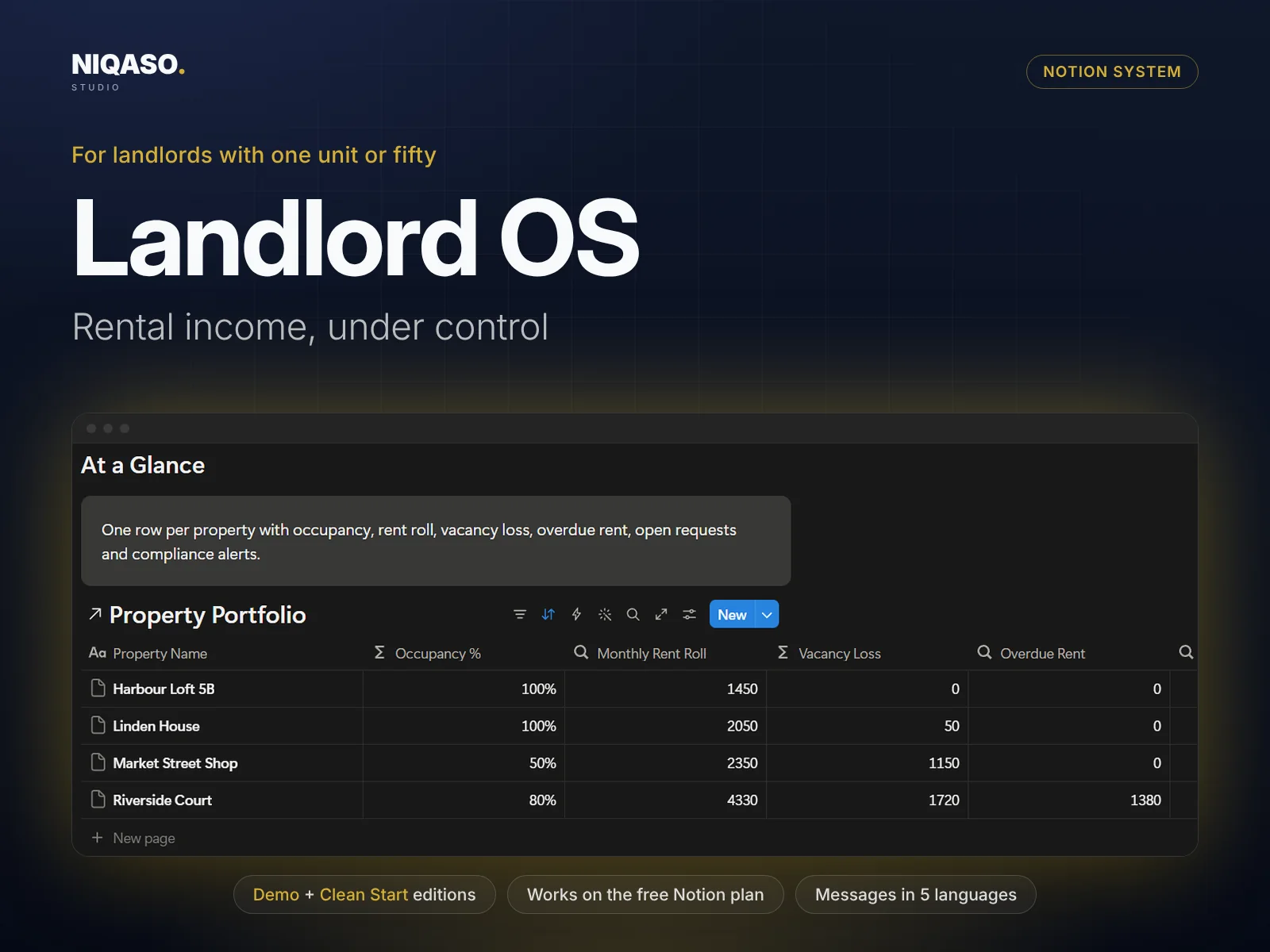
Landlord OS: Notion system overview with dashboard preview

Tap or click an image to enlarge it.
Three parts, working together.

Most landlords keep rent in a spreadsheet, repairs in chat messages and lease dates in their head. That works until two tenants pay late in the same week, a lease ends unnoticed or an insurance certificate expires. Landlord OS puts it in one place and does the arithmetic for you.

Properties Units Tenants Leases
I

Your Dashboard

See everything in one place

Properties, units, tenants, leases, rent, repairs, expenses, compliance all feed one dashboard. Enter a record once and it appears everywhere it belongs, with the totals and alerts calculated for you.

  • See rent roll, vacancy loss and overdue rent in a row for each property
  • Mark a payment as paid by typing the amount. Paid, Partial, Due or Overdue sets itself
  • Get a warning before a lease ends or a safety certificate expires
II

Rent Increase Calculator

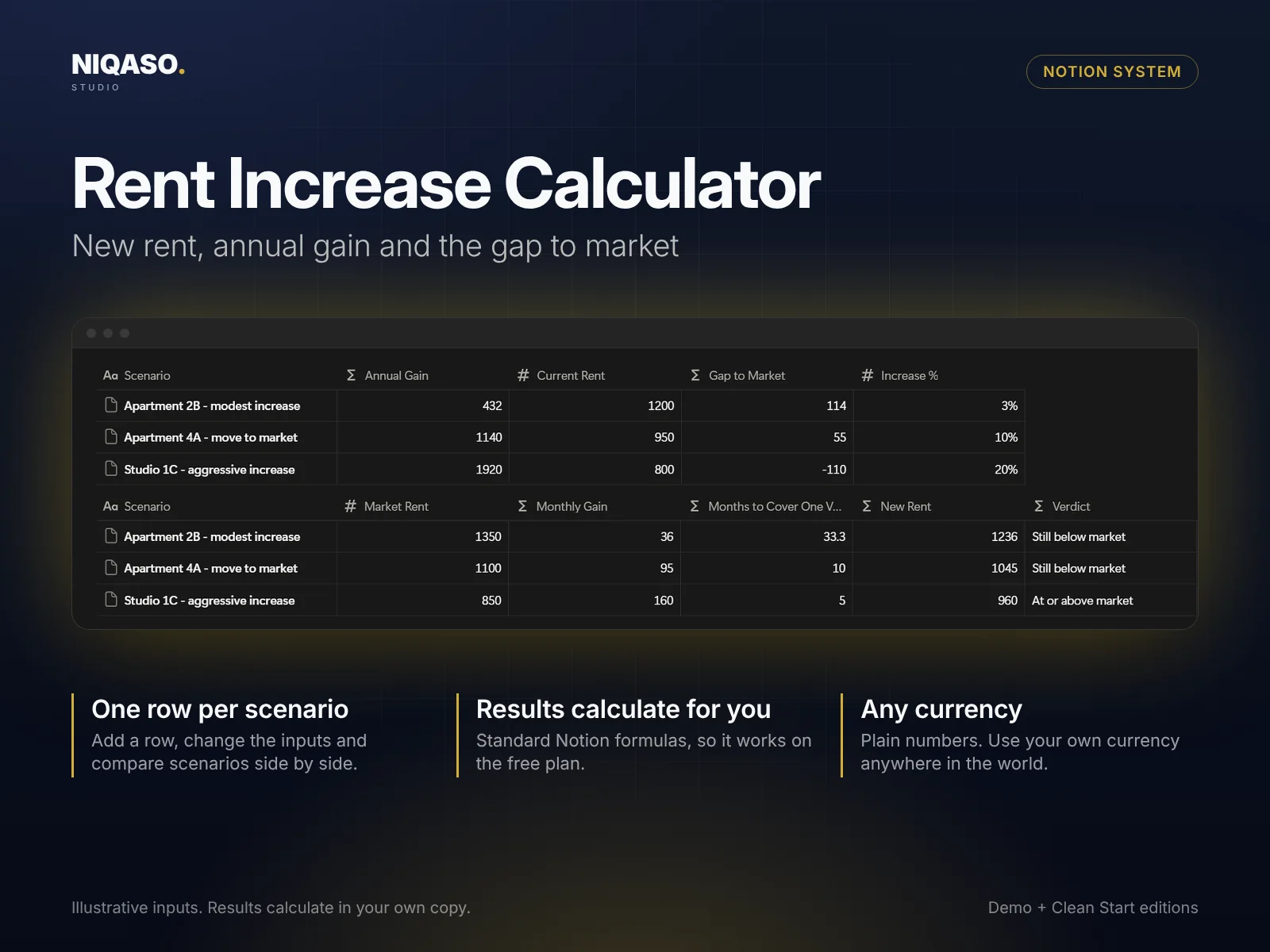
New rent, annual gain and the gap to market

Test a decision before you make it. Fill in the inputs in one row and the result calculates beside them. Add one row per scenario and compare them side by side. It is built with standard Notion formulas, so it works on the free plan.

  • Send tenants ready-made messages in English, German, French, Spanish or Italian
  • One row per scenario, compared side by side
  • Plain numbers, any currency
Rent Increase Calculator with example scenarios

Illustrative inputs. Results calculate in your own copy.

III

Playbook & Messages

Know the next step, say it in five languages

Nine step-by-step guides with checklists (move-in checklist, move-out and deposit, tenant screening, handling late rent and more) tell you what to do next. A message library gives you ready-to-send texts in English, German, French, Spanish and Italian. Copy, replace the bracketed fields, send.

  • Nine playbook guides with checklists
  • Message library in five languages
  • Start Here page with setup, FAQ and changelog
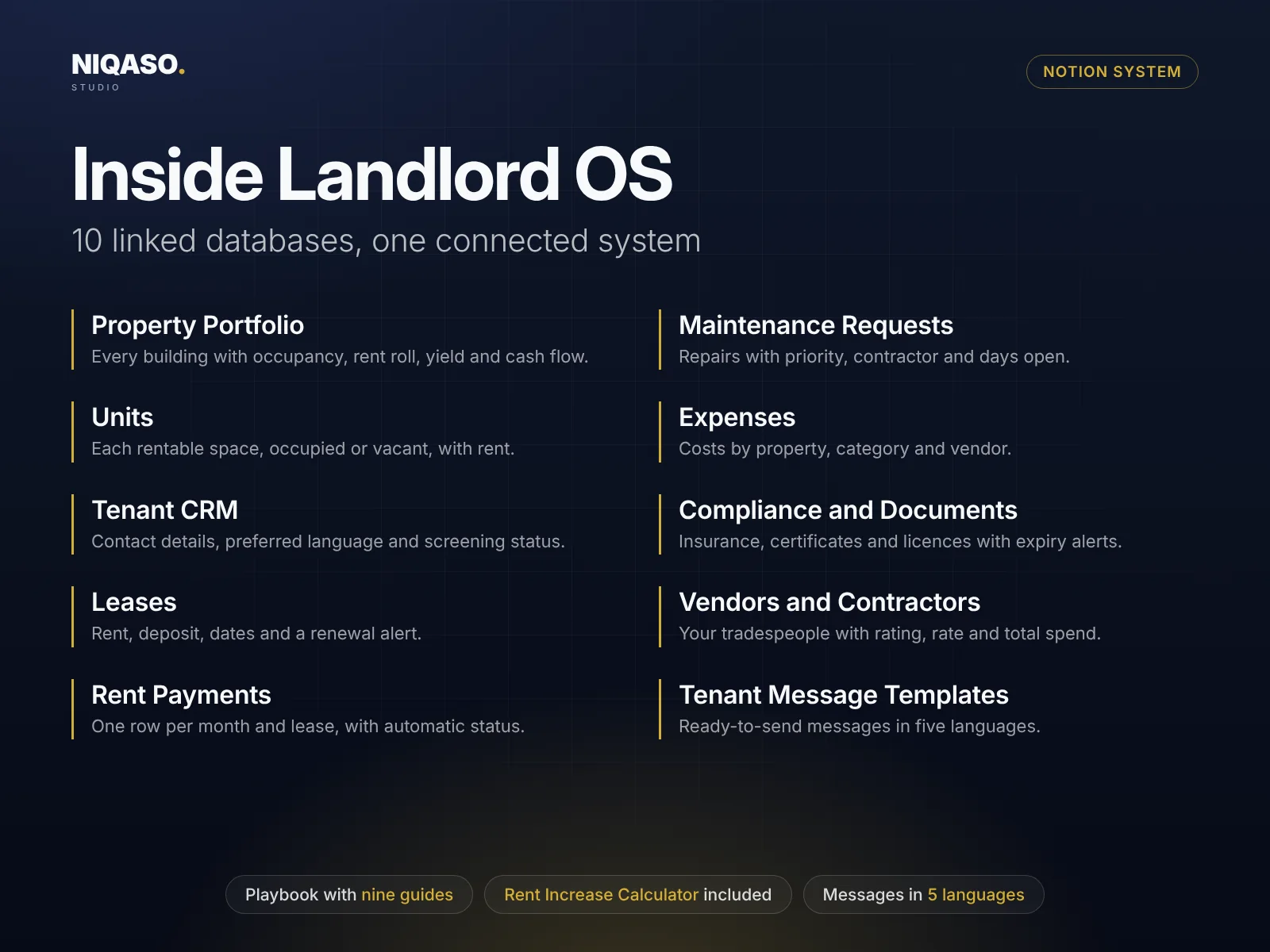
Landlord OS: the linked databases inside the system
Read the list of 10 linked databases
  • Property Portfolio

    Every building with occupancy, rent roll, yield and cash flow.

  • Units

    Each rentable space, occupied or vacant, with rent.

  • Tenant CRM

    Contact details, preferred language and screening status.

  • Leases

    Rent, deposit, dates and a renewal alert.

  • Rent Payments

    One row per month and lease, with automatic status.

  • Maintenance Requests

    Repairs with priority, contractor and days open.

  • Expenses

    Costs by property, category and vendor.

  • Compliance and Documents

    Insurance, certificates and licences with expiry alerts.

  • Vendors and Contractors

    Your tradespeople with rating, rate and total spend.

  • Tenant Message Templates

    Ready-to-send messages in five languages.

In practice

A normal month with Landlord OS

  1. On the 1st, add one payment row per lease with its due date and amount due.
  2. As money arrives, type the amount paid. The row turns to Paid or Partial. Anything late shows as Overdue and rolls up to the property row.
  3. A tenant reports a leak. Log it in Maintenance, assign a contractor, watch the days open.
  4. Before renewal talks, test a rent increase in the calculator and see what it adds per year.
  5. In December, filter Expenses by tax deductible and hand the list to your accountant.

Simple pricing. Both editions included.

One payment, no subscription. Everything above, in the Notion workspace you already use.

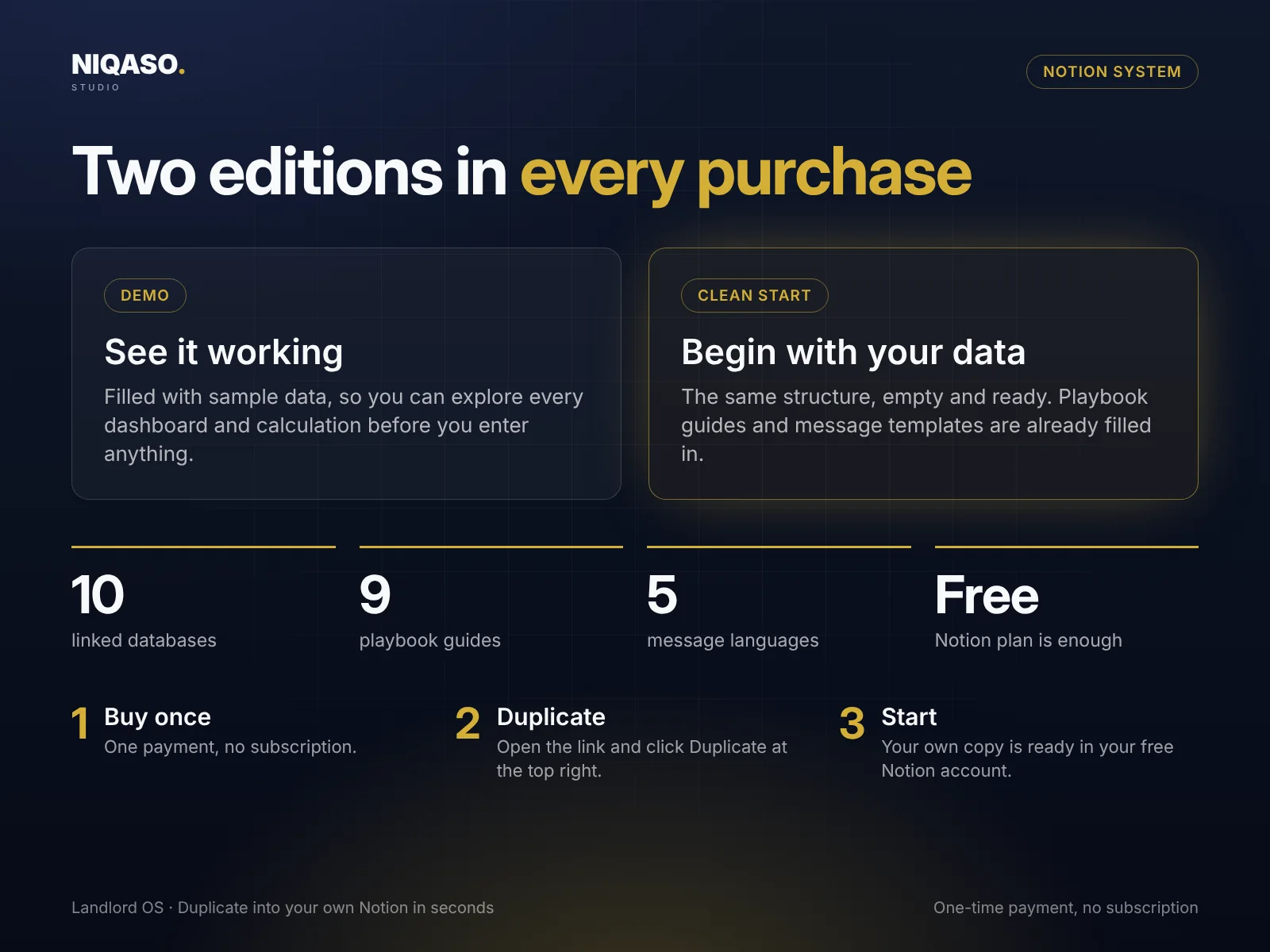
Landlord OS: Demo and Clean Start editions, how to start in three steps
Landlord OS Demo + Clean Start
$39 launch price, one-time payment
  • Two editions: Demo with sample data and an empty Clean Start
  • 10 linked databases, wired together with formulas and rollups
  • Rent Increase Calculator included
  • Playbook with nine guides and checklists
  • Message library in English, German, French, Spanish and Italian
  • Start Here page with FAQ, changelog and license
  • Runs on the free Notion plan, no automations or add-ons
Buy Landlord OS

Digital delivery after payment · One-time payment · No subscription

Secure checkout by Lemon Squeezy

Need several systems? The bundle of all six is $149. See the bundle

Common questions.

How do I record that a tenant paid?

Open the payment row in Rent Payments and type the Amount Paid. The status changes on its own, and the overdue amount rolls up to the lease, the tenant, the unit and the property row.

Does it work for one flat as well as a big portfolio?

Yes. Start with one property and one unit. Add more whenever you need them. Nothing is set up for a fixed number of units.

Does it know my country's tenancy law?

No. Notice periods and deposit rules differ by country and region. The playbook gives you checklists, not legal advice. Check your local rules.

Do I need a paid Notion plan to use this?

No. It uses only standard Notion features (databases, formulas, rollups and views) and runs on the free plan. It needs no paid plan, automations, AI add-ons or integrations.

How is it delivered after I buy?

Right after payment you can download a short PDF with two links, one for the Clean Start edition and one for the Demo. Open a link, click Duplicate at the top right of the Notion page, and the system is in your own free workspace in seconds. You get both editions: a Demo filled with sample data and an empty Clean Start for your own records.

How do I pay, and is it safe?

Checkout is handled by Lemon Squeezy, our payment partner and merchant of record. It shows the final price and any taxes before you pay, and you get a receipt by e-mail. We never see your card details.

Which currency or country does it use?

None. Amounts are plain numbers, so use your own currency anywhere in the world. Message templates come in English, German, French, Spanish and Italian.