Features Pricing FAQ Buy now

A Notion system for Agents, brokers and small agencies

Real Estate OS: Listings, leads and deals in one place.

Manage every listing from first visit to closing: leads, showings, deals, technical audits, renovation ROI and client messages, all linked together.

One-time payment · Digital delivery · Works on the free Notion plan
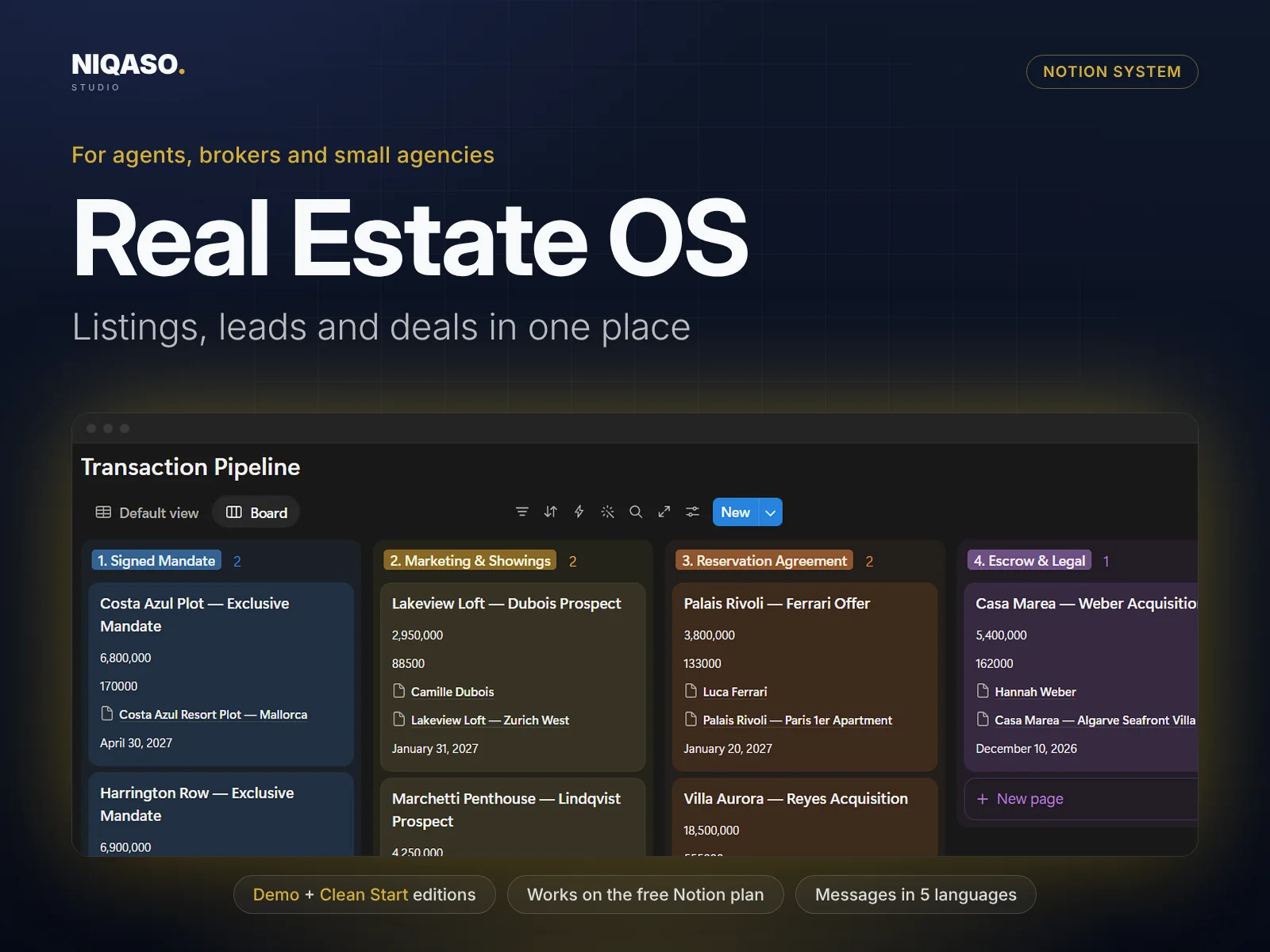
Real Estate OS: Notion system overview with dashboard preview

Tap or click an image to enlarge it.
Three parts, working together.

A listing touches many things at once: the owner, the buyers who asked about it, the showings, the offers, the documents and the repairs. When those live in different tools, follow-ups slip. Real Estate OS links them, so you open one property and see everything about it.

Listings Leads Deals Showings
I

Your Dashboard

See everything in one place

Listings, leads, deals, showings, audits, renovation ROI, documents, partners all feed one dashboard. Enter a record once and it appears everywhere it belongs, with the totals and alerts calculated for you.

  • A gallery of your listings with cover photo, price and status
  • A deal board: drag a deal from viewing to offer to closing, commission calculates itself
  • Log showing feedback and send it to the owner as a report
II

Seller Net Proceeds Calculator

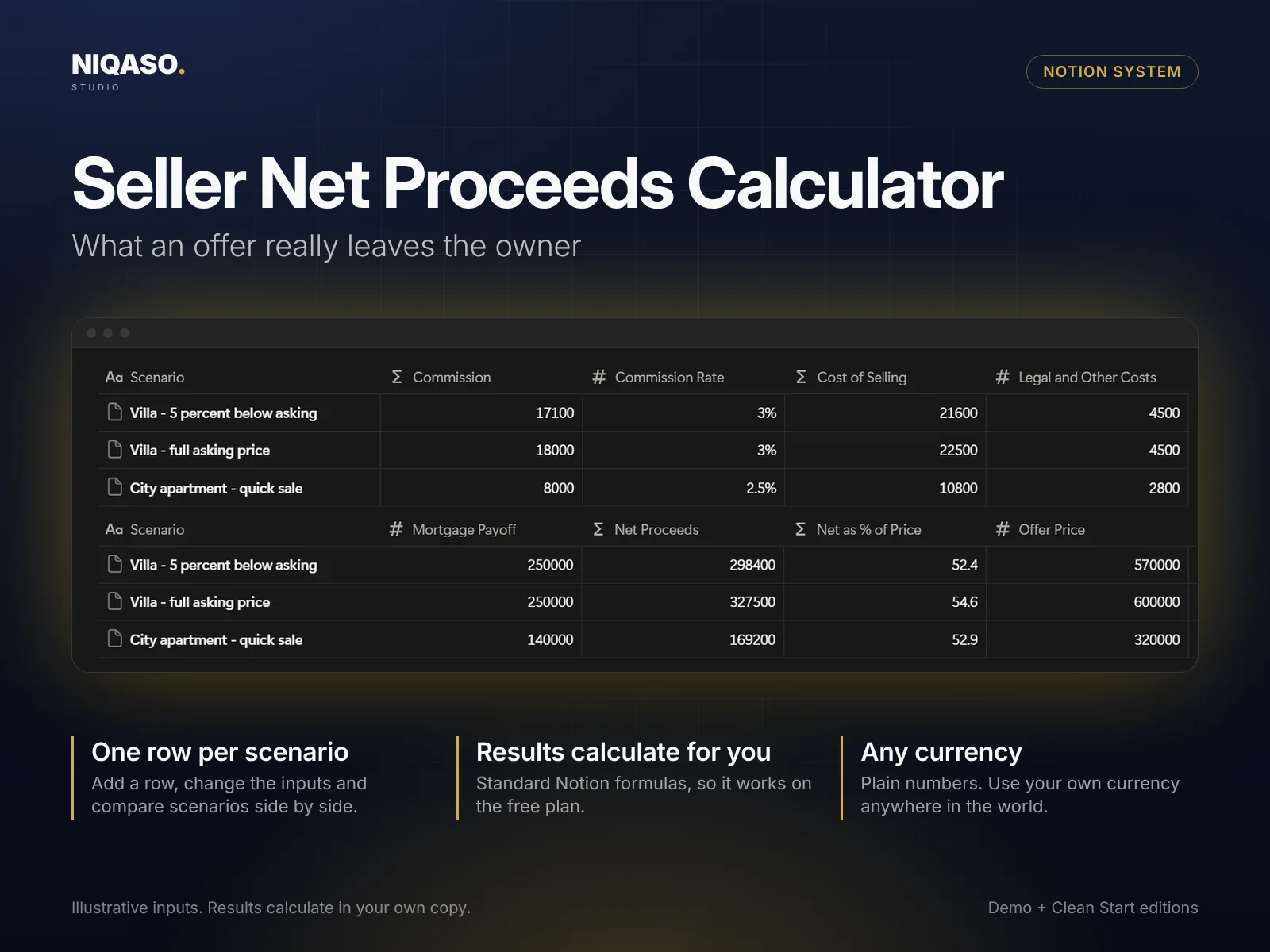
What an offer really leaves the owner

Test a decision before you make it. Fill in the inputs in one row and the result calculates beside them. Add one row per scenario and compare them side by side. It is built with standard Notion formulas, so it works on the free plan.

  • Export a one-page property brochure as a PDF
  • One row per scenario, compared side by side
  • Plain numbers, any currency
Seller Net Proceeds Calculator with example scenarios

Illustrative inputs. Results calculate in your own copy.

III

Playbook & Messages

Know the next step, say it in five languages

Nine step-by-step guides with checklists (listing launch, pricing a property, lead response, running showings and more) tell you what to do next. A message library gives you ready-to-send texts in English, German, French, Spanish and Italian. Copy, replace the bracketed fields, send.

  • Nine playbook guides with checklists
  • Message library in five languages
  • Start Here page with setup, FAQ and changelog
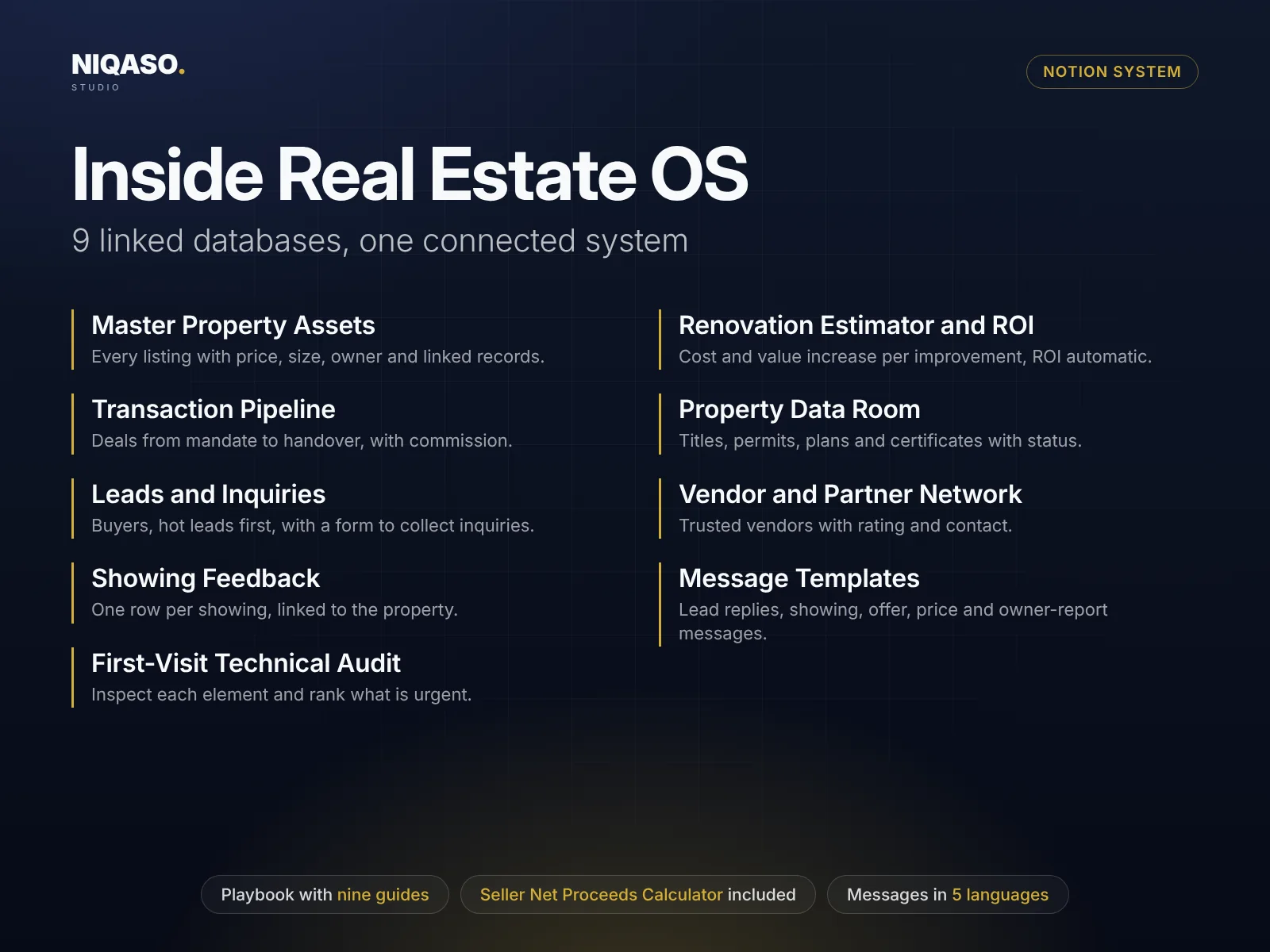
Real Estate OS: the linked databases inside the system
Read the list of 9 linked databases
  • Master Property Assets

    Every listing with price, size, owner and linked records.

  • Transaction Pipeline

    Deals from mandate to handover, with commission.

  • Leads and Inquiries

    Buyers, hot leads first, with a form to collect inquiries.

  • Showing Feedback

    One row per showing, linked to the property.

  • First-Visit Technical Audit

    Inspect each element and rank what is urgent.

  • Renovation Estimator and ROI

    Cost and value increase per improvement, ROI automatic.

  • Property Data Room

    Titles, permits, plans and certificates with status.

  • Vendor and Partner Network

    Trusted vendors with rating and contact.

  • Message Templates

    Lead replies, showing, offer, price and owner-report messages.

In practice

A new listing, step by step

  1. Create the property from the brochure template: address, price, area, owner, cover photo.
  2. Every inquiry goes into Leads and is linked to the property it asked about.
  3. After each showing, add feedback. Forms can collect it from the buyer.
  4. When an offer arrives, create the deal and use the calculator to show the owner the net result.
  5. Move the card across the board until closing. Use the playbook for the owner report.

Simple pricing. Both editions included.

One payment, no subscription. Everything above, in the Notion workspace you already use.

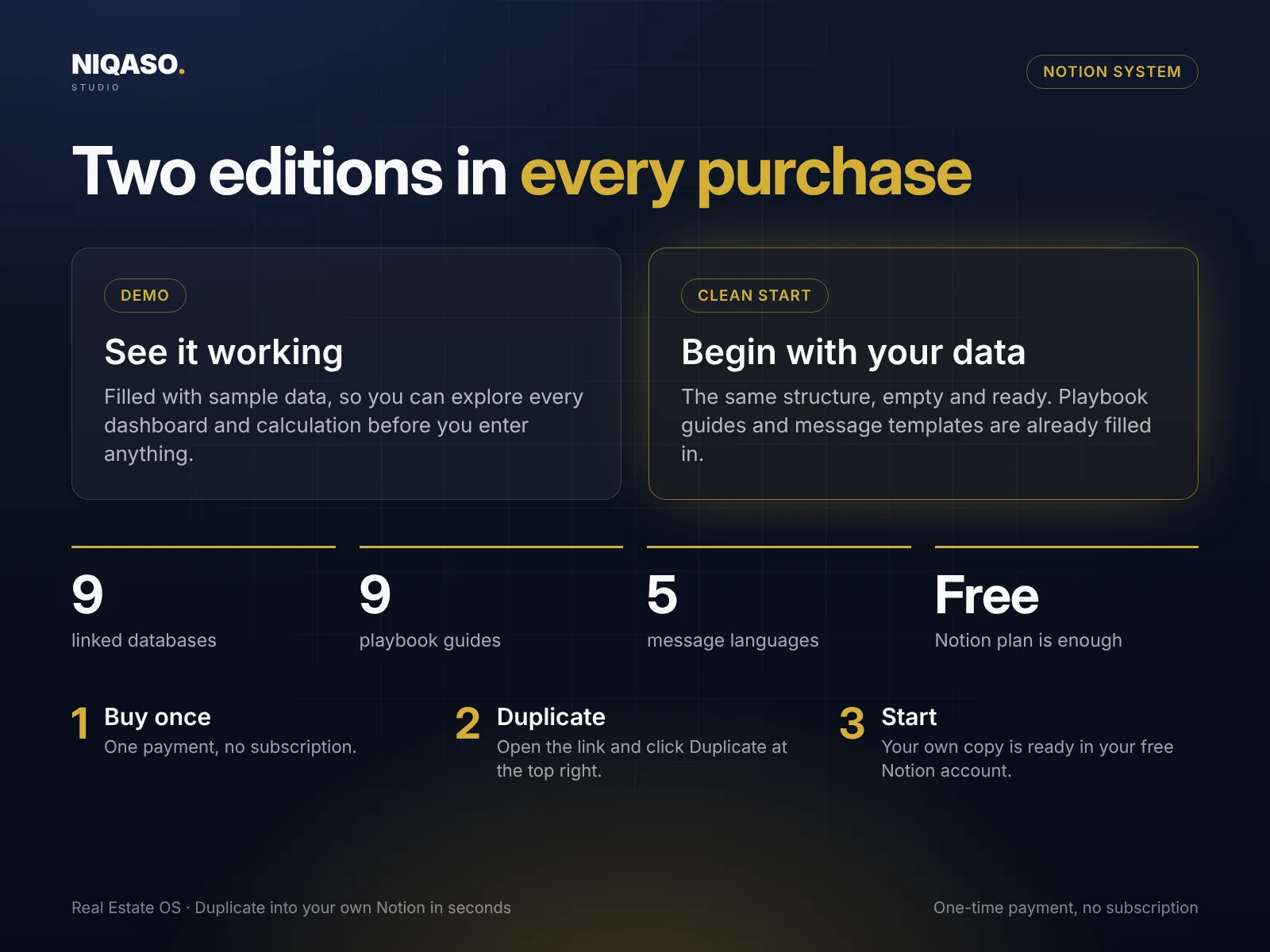
Real Estate OS: Demo and Clean Start editions, how to start in three steps
Real Estate OS Demo + Clean Start
$39 launch price, one-time payment
  • Two editions: Demo with sample data and an empty Clean Start
  • 9 linked databases, wired together with formulas and rollups
  • Seller Net Proceeds Calculator included
  • Playbook with nine guides and checklists
  • Message library in English, German, French, Spanish and Italian
  • Start Here page with FAQ, changelog and license
  • Runs on the free Notion plan, no automations or add-ons
Buy Real Estate OS

Digital delivery after payment · One-time payment · No subscription

Secure checkout by Lemon Squeezy

Need several systems? The bundle of all six is $149. See the bundle

Common questions.

Can I send a property brochure to a client?

Yes. Open the finished property page, choose Export, then PDF and A4. The brochure template is built for one page.

Do forms work on the free plan?

Yes. Notion forms are free. Form entries cannot link to a property, so the template includes a view that shows unlinked entries to fix.

Is it only for agents?

No. Investors who manage listings and renovations use it too. The renovation ROI table works for any improvement.

Do I need a paid Notion plan to use this?

No. It uses only standard Notion features (databases, formulas, rollups and views) and runs on the free plan. It needs no paid plan, automations, AI add-ons or integrations.

How is it delivered after I buy?

Right after payment you can download a short PDF with two links, one for the Clean Start edition and one for the Demo. Open a link, click Duplicate at the top right of the Notion page, and the system is in your own free workspace in seconds. You get both editions: a Demo filled with sample data and an empty Clean Start for your own records.

How do I pay, and is it safe?

Checkout is handled by Lemon Squeezy, our payment partner and merchant of record. It shows the final price and any taxes before you pay, and you get a receipt by e-mail. We never see your card details.

Which currency or country does it use?

None. Amounts are plain numbers, so use your own currency anywhere in the world. Message templates come in English, German, French, Spanish and Italian.